

Using the PolarFire SoC Cryptographic Processor

FPGAs and SoCs are becoming essential assets in our daily lives. From AI to real-time systems, they power many of today’s technological advances. As a result, they store sensitive data and can be targets for third-party attacks, but they are also built to handle these new scenarios.
PolarFire® SoC FPGAs ship with a surprisingly rich security toolbox. In this article we’ll look at the platform-level protections they provide and then zoom in on the hardened TeraFire cryptographic processor, licensed from Athena, that anchors the secure subsystem. We’ll see how it interacts with the System Controller and User Crypto blocks and walk through a practical path to drive its AES engines using the CAL API.
Table of Contents
- TeraFire Cryptographic processor
- Hardware design
- The Crypto Acceleration Library (CAL)
- Using the CAL in your design
- Conclusions
TeraFire Cryptographic processor
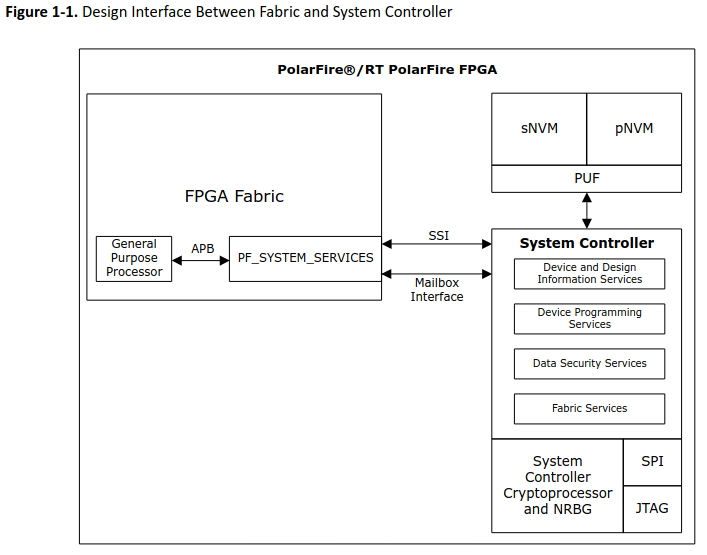
TeraFire is Microchip’s hardened cryptographic accelerator. In PolarFire SoC it lives as a fixed Function block inside the System Controller, so it boots with the device, inherits the controller’s tamper protections, and exposes its services through the secure firmware API.
The same technology can also be instantiated as a soft core in SmartFusion and IGLOO families letting you drop the TeraFire IP core into the FPGA fabric, giving lower-power or cost-sensitive designs access to the exact AES, SHA-256, HMAC, and TRNG capabilities without migrating to the full PolarFire SoC.
Hardware design
In order to use the cryptographic processor, we need a hardware design that includes the MSS. To create this design, we first need to configure the MSS with the PolarFire MSS Configurator.
pablo@ares:~$ /media/pablo/data/microchip/Libero_SoC_2025.1/Libero_SoC/Designer/bin64/pfsoc_mss
Then, we create a very basic design, so we need the MSS configuration for the board we are using, for example, the MPFS Discovery Kit. The configuration for this board can be found in the reference design repository. Open the configuration file and disable all the peripherals we are not going to use. The only peripheral I leave enabled is GPIO 2 for the LEDs so we have feedback from the algorithms.
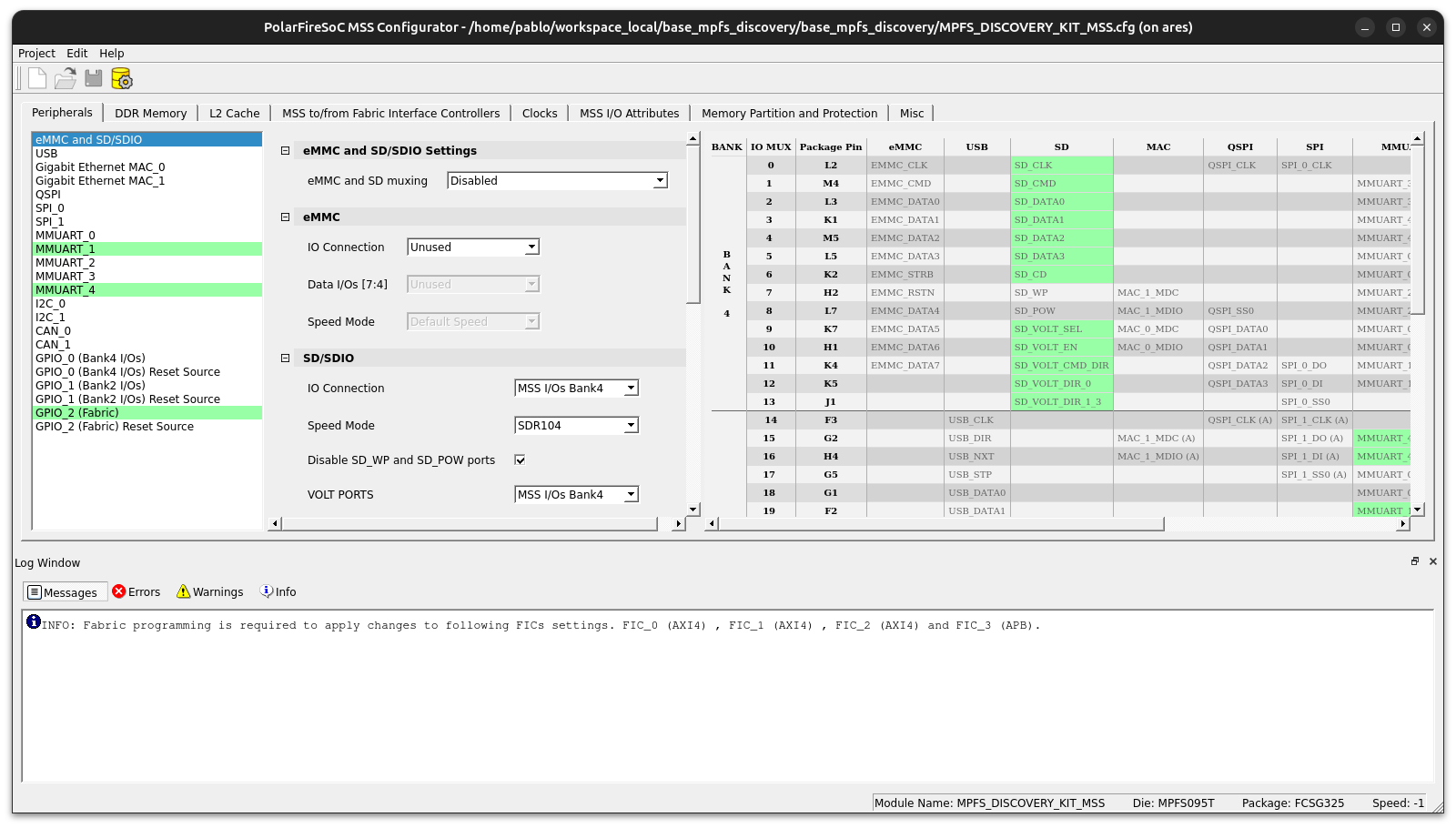
At this point, we just need to export the MSS configuration as a .cxz file in a new SmartDesign on Libero SoC.
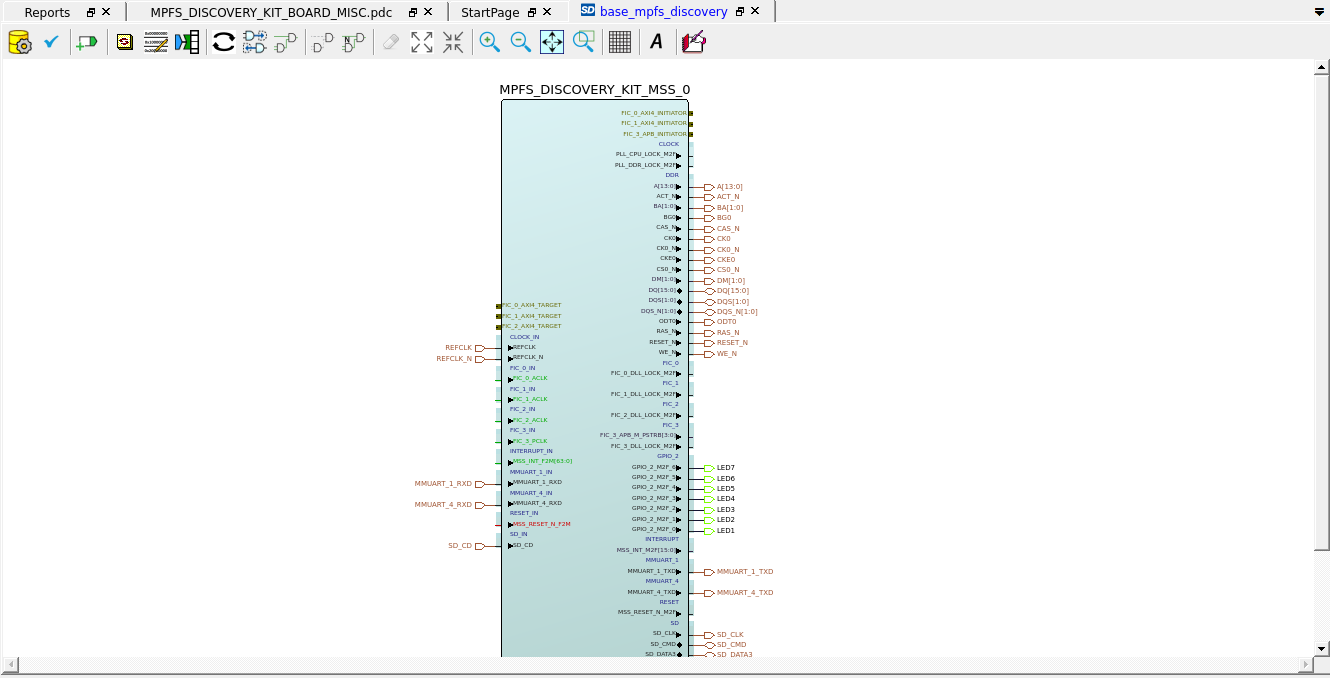
Since the LEDs are connected to the FPGA, we also need the LED constraints.
When we have the hardware design ready and the FPGA bitstream generated, we can program the board and we are ready for the software design.
The Crypto Acceleration Library (CAL)
The TeraFire Cryptographic Application Library (CAL) is Microchip’s C API that lets your firmware use cryptography in a simple, portable way. It provides functions for AES, hashing, HMAC, and random numbers, and can run on the PolarFire SoC’s hardware “User Crypto” engine for speed or fall back to software if needed.
CAL is necessary because the secure subsystem—managed by the System Controller—is not directly accessible from user code. You can’t poke its registers yourself; instead, you call CAL (and, when you need key custody or sNVM/PUF features, the System Controller services) to request approved operations.
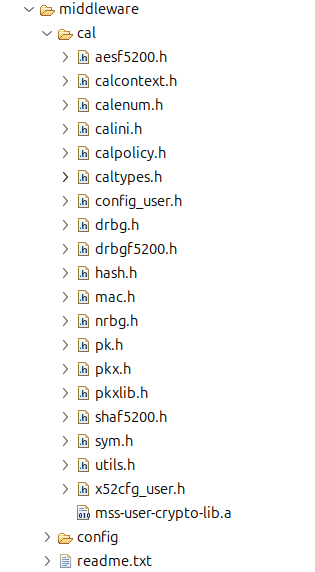
To use CAL, we need to add to our design a set of headers and a library that lets us call the functions and reach the crypto processor. However, Microchip does not provide (or I didn’t find) a repository with those headers and the library, so we need to open a bare-metal example and copy the middleware/cal/ folder from there.
Using the CAL in your design
Once we have the headers and the library, we need to add them to our design and also add some predefined symbols and preprocessor directives.
In the first place, we have to configure the linker so it can find the CAL functions, which are in the mss-user-crypto-lib.a file.
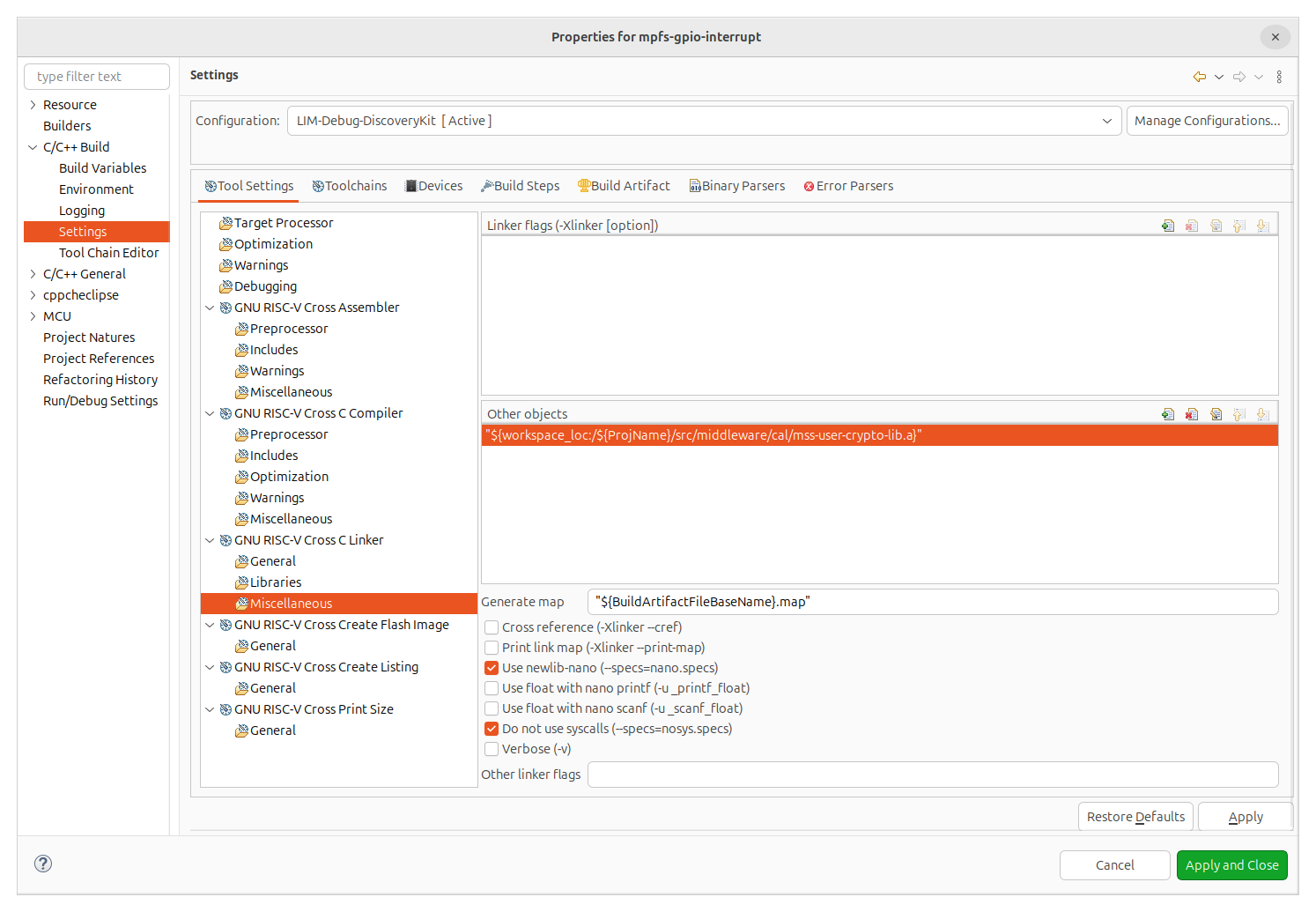
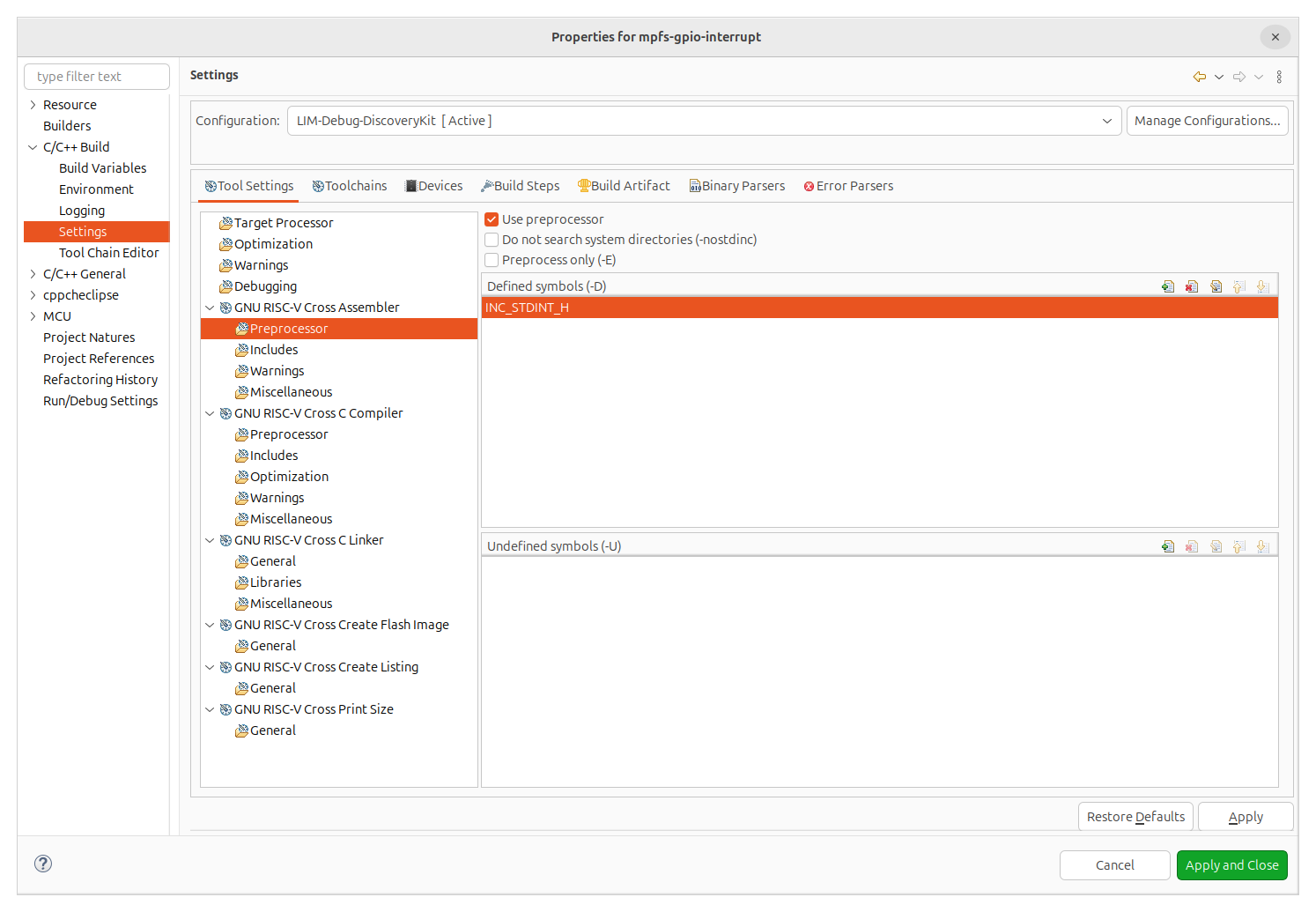
Then, since the headers of the library define some types, we need to predefine the symbol INC_STDINT_H in the assembler cross compiler.
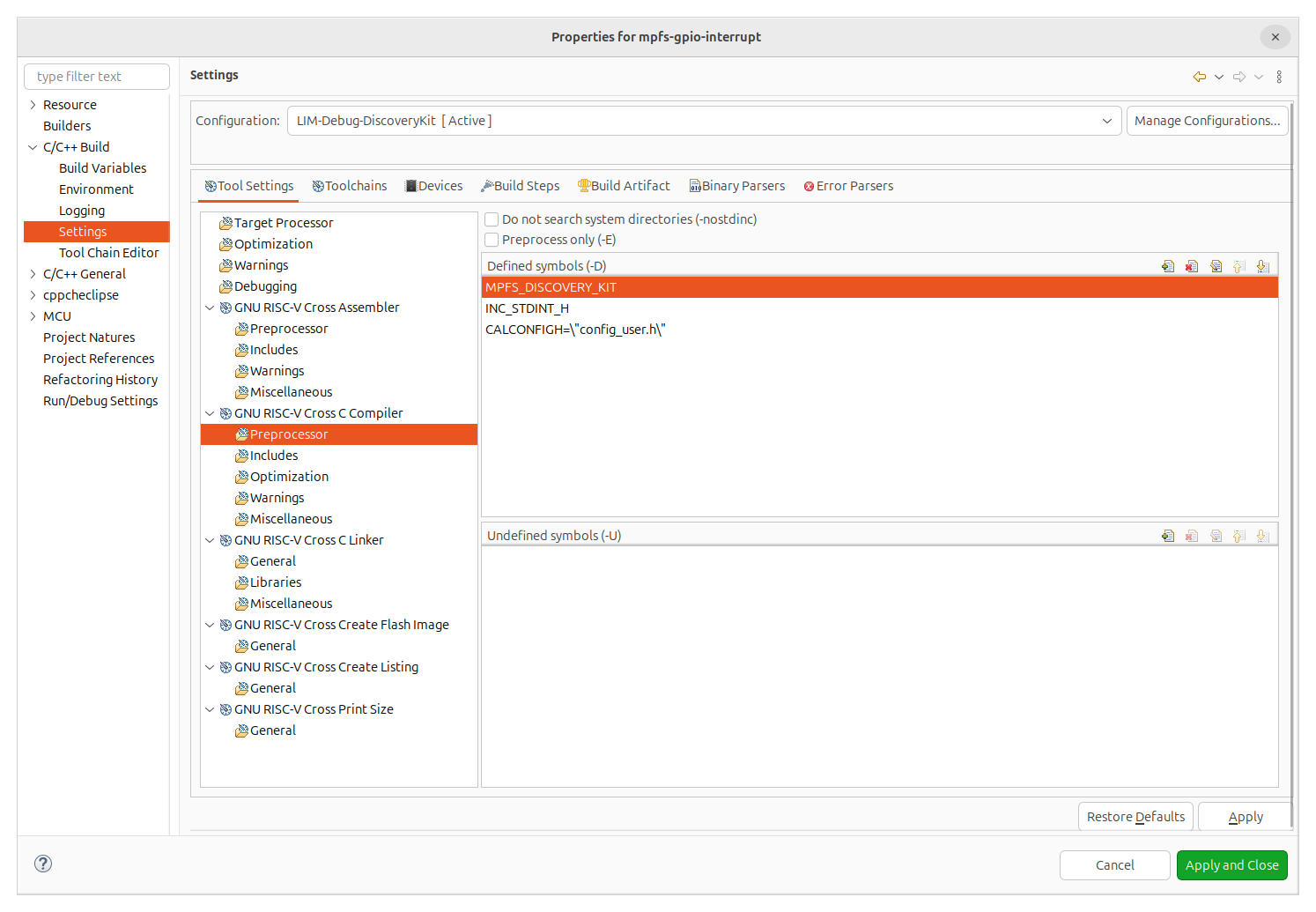
And finally, in the RISC-V cross compiler we need to, again, predefine the symbol INC_STDINT_H, and also add the symbol CALCONFIG to point to the configuration of CAL.
Now we can use all the cryptographic algorithm functions in the application.
For example, to use AES encryption, we need to use the CALSymEncryptDMA.
status = CALSymEncryptDMA(SATSYMTYPE_AES256, (uint32_t *)&g_key_256bit[0],
                          SATSYMMODE_ECB, g_iv, SAT_TRUE,
                          g_plain_text, g_cipher_text, msg_len,
                          X52CCR_DEFAULT);
Since we can use the AES encryption with different operation modes, that can modify the performance of the encryption and decryption process, CAL library allow us to use some of them.
| Identifier | Algorithm |
|---|---|
| SATSYMMODE_ECB | Electronic codebook |
| SATSYMMODE_CBC | Cipher block chaining |
| SATSYMMODE_CFB | Cipher feedback |
| SATSYMMODE_OFB | Output feedback |
| SATSYMMODE_CTR | Counter mode |
| SATSYMMODE_GCM | Galois counter mode |
| SATSYMMODE_GHASH | Galois hash mode |
In order to use the decryption, it allow us to use the function CALSymDecryptDMA to decrypt the data.
status = CALSymDecryptDMA(SATSYMTYPE_AES256, (uint32_t *)&g_key_256bit[0],
                          SATSYMMODE_ECB, g_iv, SAT_TRUE, g_cipher_text,
                          g_plain_text, cipher_len,
                          X52CCR_DEFAULT);
Conclusions
Cybersecurity is the cool kid in embedded land right now, and with the CRA kicking in by 2026 the pressure to lock down connected devices will only get louder.
Microchip, formerly Microsemi, has been working with secure systems since almost day one by integrating secure NVM, flash-based memories, and crypto accelerators like TeraFire. Now AMD is also a player in this field, adding the Platform Management Controller to the new Spartan UltraScale+.
When the main FPGA vendors add co-processors like these, it simply means security engines are becoming a must-have asset in their devices.